The best AI tools for research paper writing split into two jobs, and you need one of each. To find and read papers, use Consensus or Elicit, with Semantic Scholar as a free backup. To shape and polish your own draft, use Claude or ChatGPT, and keep every reference in Zotero so the citations come from real papers, not from a chatbot's memory.
That split matters more than any single product. General chatbots write fluent paragraphs but can invent sources. Academic search tools are built on real paper databases but don't write your argument for you. Plans and limits below were checked against each vendor's own pricing and help pages on October 27, 2026.
Best AI tools for research paper writing: the quick list
| Tool | Job in your paper | Free option | Paid plans start at |
|---|---|---|---|
| Consensus | Answers a research question with cited papers | Yes, with monthly limits | $20 a month or $144 a year |
| Elicit | Search, summaries and tables across papers | Yes, Basic plan | $49 per user a month, billed yearly |
| Semantic Scholar | Free academic search engine | Yes, fully free | None |
| ResearchRabbit | Maps related papers and authors | Yes, Free Forever | $10 a month (RR+, US pricing) |
| Scite | Shows whether later papers support or dispute a study | 7 day trial | See the Scite pricing page |
| Zotero | Collects papers and formats citations | Yes, free and open source | None needed |
| Claude or ChatGPT | Outlines, feedback and revision of your own text | Yes | Deep research features need paid plans or have plan limits |
If you only set up two things today, make them a free Consensus account and Zotero. That pair covers finding evidence and citing it correctly.
Find the papers first
Every good research paper starts with the literature, and this is where AI saves the most time, as long as the tool searches a real database.
Consensus: best for a direct research question
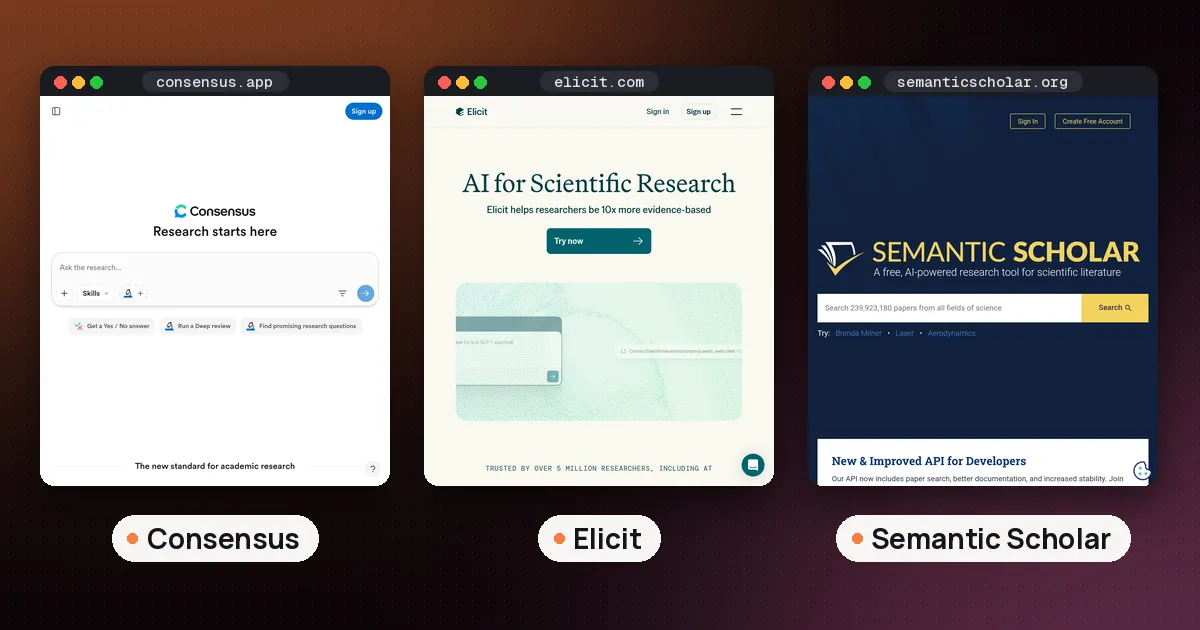
Consensus works best when you can phrase your topic as a question, such as whether a treatment works or how two variables relate. According to its plan page, the free tier includes unlimited paper searches, 10 Pro messages a month and 3 Deep reviews a month. Pro costs $20 a month or $144 a year and gives unlimited Pro messages plus 15 Deep reviews a month.
Its help center says a Pro message analyzes up to 20 papers, while a Deep review works through a larger set for a fuller literature review. Answers link each claim to the paper it came from, and you can export citations to Zotero, EndNote and Mendeley. That makes Consensus a strong first stop for the background and literature review sections.
Elicit: best for comparing many studies in a table
Elicit's pricing page lists a free Basic plan with unlimited search across more than 138 million papers, unlimited summaries, chat with papers that have full text, and import from Zotero. The free plan has limited use of its Research Agent and Research Reports.
Pro is $49 per user a month, billed as $588 a year, and adds a systematic review workflow that can screen 5,000 papers, plus tables with up to 20 columns at a time. Most students will never need Pro. The free plan's tables are the main reason to try it: put methods, sample sizes and findings side by side and you can see patterns across a field in minutes instead of days.
Semantic Scholar: best free search engine
Semantic Scholar is a free search tool run by Ai2, a nonprofit research institute. It says it indexes over 200 million academic papers from publisher partnerships, data providers and web crawls. There is no paid tier to worry about.
Use it when you want plain search results you can sort and read yourself, or to double check that a paper another tool mentioned actually exists. Many people keep Semantic Scholar open in one tab and Consensus or Elicit in another.
Map citations and test your sources
Once you have a few strong papers, the next questions are what else you missed and whether your key sources have held up.
ResearchRabbit: see how papers connect
ResearchRabbit starts from papers you already trust (it calls them seed articles) and shows related work, earlier and later papers, and connected authors. According to its pricing page, the Free Forever plan includes unlimited search, unlimited collections, collaboration, library uploads and up to 50 seed articles. RR+ costs $10 a month at default pricing (the US, UK and Canada fall under it), with discounts in many other countries, and raises the limit to 300 seed articles.
It's ideal for the step where your reading list stalls. Add your five best papers, follow the graph, and you'll usually find the key study everyone cites that your keyword search missed.
Scite: check whether a claim was supported or disputed
Scite shows how a paper has been cited by later work, including whether those citations support or contradict it. That's useful before you build a paragraph on one study. Scite's pricing page lists a 7 day free trial and paid plans, and it says students and academics can ask for a discount by recommending Scite to their institution. Check that page for the current price in your currency.
Keep citations honest with Zotero
This is the step people skip, and it's the one that protects your grade or your submission. Zotero is free and open source, runs on Mac, Windows, Linux, iOS and Android, and saves a paper's details with one click from your browser. It formats references and bibliographies inside Word, LibreOffice and Google Docs, with support for over 9,000 citation styles.
The rule is simple: a source goes into your paper only after it's in Zotero, and it gets into Zotero only from the publisher page, a database or a search tool like Semantic Scholar. Never paste a reference list from a chatbot straight into your bibliography.
Why so strict? The APA Style team tested this themselves. In its guide to citing ChatGPT, APA describes asking ChatGPT for five sources: four could be found, and the fifth did not seem to exist, with a DOI that belonged to a different article. APA's advice is to check the primary sources and read them yourself.
Best AI writing assistant for research paper drafts
Once your reading is done and your notes are in order, a general assistant becomes useful. The right job for it is helping with your argument, not producing one.
Claude
Claude is good at reading a long draft and giving structured feedback: where the argument jumps, which paragraph repeats another, what a skeptical reviewer would ask. Its Research mode runs several searches that build on each other, but Anthropic's help page says it's only on paid plans (Pro, Max, Team and Enterprise) and needs web search turned on. For drafting help, the free plan is enough.
ChatGPT
ChatGPT works well for outlines, plain language explanations of methods, and tightening sentences. Its deep research feature builds a research plan you can edit, works through many sources and returns a report with citations or source links. OpenAI's help page says usage varies by plan, and that you can limit research to specific websites under Sites, then Manage sites. Reports download as Markdown, Word or PDF.
Treat a deep research report as a reading list, not as text for your paper. Open every source it cites and add the real ones to Zotero.
If you are a student, our guide to the best AI tools for students covers note taking and planning, and Is ChatGPT free for students? explains the current plans and offers.
Editing and grammar
For a final line edit, a grammar checker like Grammarly or QuillBot catches what you stop seeing after the tenth read. Our Grammarly vs QuillBot comparison covers which one suits academic writing. If you browse papers in an AI browser such as Comet, it can summarize an open page, but the same rule applies: read the paper, not just the summary. Fiction tools like Novelcrafter are built for novels and don't help with papers.
A workflow from question to final draft
- Write your research question in one sentence. Ask Claude or ChatGPT to suggest narrower versions, then pick one yourself.
- Search. Run the question in Consensus, then the same keywords in Semantic Scholar. Save anything promising to Zotero straight from the paper page.
- Compare. Put your top 10 to 20 papers into an Elicit table to line up methods and findings.
- Expand. Add your best five papers to ResearchRabbit as seeds and follow the connections.
- Test. Check your most important sources in Scite before you lean on them.
- Outline and draft yourself. Write from your notes. Then paste a section into Claude or ChatGPT and ask for critique, not rewriting.
- Cite from Zotero only. Insert citations with the Zotero plugin in Word or Google Docs.
- Disclose. Note which tools you used and how, following your instructor's or journal's rules.
Rules to follow before you submit
Policies differ by course and journal, so always read yours first. Two references are useful as a baseline.
Springer Nature's AI policy for Nature Portfolio journals sorts AI use by risk. Polishing language and suggesting structure are permitted. Drafting summaries and extensive writing support are allowed with human oversight and disclosure. Fabricating data, citations or results, presenting AI generated conclusions as your own, and naming an AI as an author are not permitted. It also says manuscripts and sensitive data must not go into unsecured or public AI systems.
The APA Style team suggests describing how you used an AI tool in your Method section, or in the introduction for a literature review or essay. APA published updated guidance for citing generative AI in September 2025, so check its current pages for the exact reference format.
For students, the safe line is the same one Springer Nature draws: AI can help you find, organize and polish, but the reasoning and the conclusions must be yours.
What to skip
- AI "paper writers" that promise a finished essay. They produce the thing most policies forbid, and you still have to verify every citation.
- Paying before you hit a limit. The free plans of Consensus, Elicit, ResearchRabbit, Semantic Scholar and Zotero cover a typical term paper or thesis chapter.
- Uploading unpublished data to a tool you haven't vetted. Check its privacy settings first, and follow your lab's rules.
FAQ
What are the best AI tools for research paper writing for free?
Semantic Scholar and Zotero are completely free. Consensus, Elicit and ResearchRabbit all have free plans that cover most student papers: Consensus gives 3 Deep reviews and 10 Pro messages a month, Elicit's Basic plan allows unlimited search and summaries, and ResearchRabbit's Free Forever plan allows up to 50 seed articles. Free Claude or ChatGPT can handle feedback on your draft.
Can ChatGPT write my research paper?
It can draft text, but that text is not research. It may cite papers that don't exist, and most courses and journals require your own reasoning plus disclosure of AI help. Use it for outlines, critique and clearer sentences, and take every source from a real database.
Is Consensus or Elicit better for a literature review?
Consensus is quicker when you have a clear question and want a cited answer. Elicit is better when you need to compare many studies in a table by method, sample and result. Both have free plans, so try your topic in each.
Do I have to disclose that I used AI in a research paper?
Usually yes. Springer Nature asks authors to disclose AI use, and APA suggests describing it in your Method section or introduction. Your instructor's or journal's own rule always comes first.
How do I check that an AI citation is real?
Search the exact title in Semantic Scholar or the publisher's site, and confirm the DOI opens the same paper. If you can't find it, drop it. Add only verified papers to Zotero and cite from there.