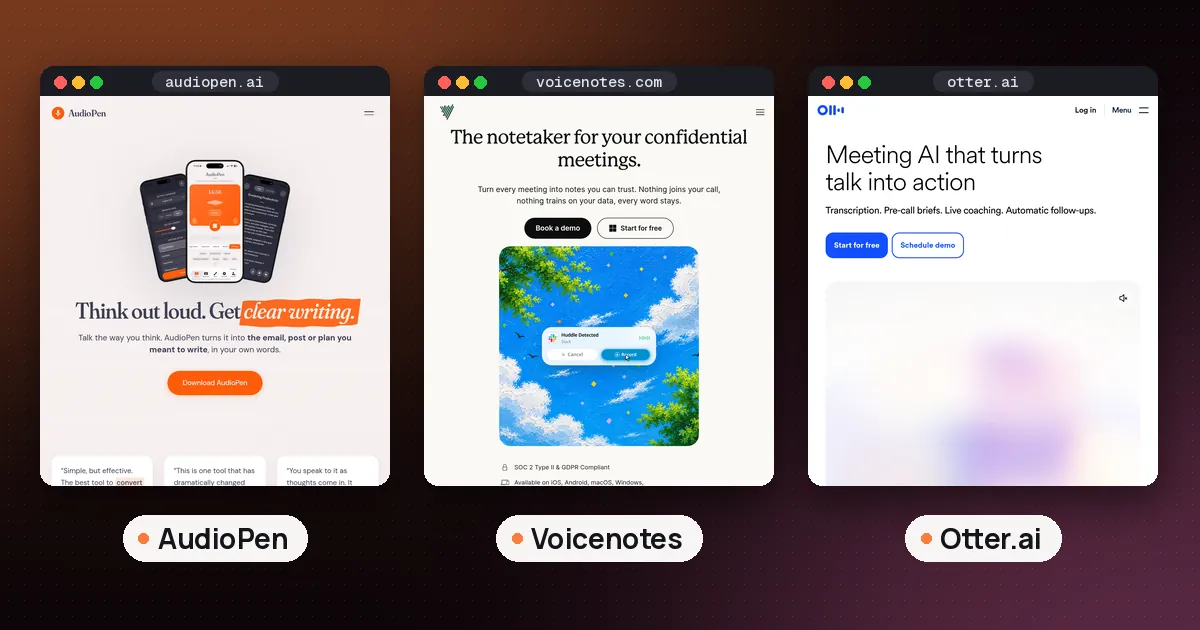
The best AI note taker for voice to text depends on what you want back. If you ramble and want clean, readable notes, use AudioPen. If you want long voice memos, meetings and a searchable archive in one place, use Voicenotes. If you only need a free transcript of what you said, the recorder already on your phone (Apple Notes on iPhone, Recorder on Pixel) is good enough to start.
This guide is about capturing your own thoughts by talking: ideas on a walk, a to do list in the car, a draft you speak instead of type. If your goal is notes from calls with other people, our best AI note taker for meetings guide is the better fit.
What an AI note taker for voice to text actually does
"Voice to text" covers three different jobs, and most disappointment comes from picking a tool built for the wrong one.
- Transcribe. The app writes down every word you said, ums included. Apple Notes, Pixel Recorder and Otter mostly do this, and some add a short AI summary on top.
- Transcribe and rewrite. The app turns a messy spoken ramble into tidy text: bullet points, an email, a short memo. AudioPen is built around this step, and Voicenotes offers AI notes and summaries.
- Dictate into other apps. The app types your words into whatever text box your cursor is in, such as Gmail, Slack or Google Docs. Speechify Voice Typing, Wispr Flow and Monologue work this way. They're closer to a keyboard than a notebook. On a phone, Google Docs Live lets you talk a first draft straight into Docs.
Ask yourself one question before you install anything: do you want a record of what you said, or a finished piece of writing? The answer points to a different column below.
AI note taker voice to text apps compared
| App | Platforms | Free option | Paid plan (as listed) | Best for |
|---|---|---|---|---|
| AudioPen | Web, iPhone, iPad, Android, Mac, Windows, Chrome | Notes up to 3 minutes | Prime from $99 a year on the web | Turning rambles into clean writing |
| Voicenotes | Mac, Windows, iPhone, Android, web, watch | 100 transcription minutes a week, 30 day history | Pro $9 per user a month | Memos plus meetings in one archive |
| Otter | Web, iPhone, Android | 300 transcription minutes a month | Pro $16.99 per user a month (monthly) | Long recordings and conversations |
| Apple Notes | iPhone 12 and later, iPad | Built in | None | Free transcripts on iPhone |
| Pixel Recorder | Pixel 3 and later, Pixel Tablet | Built in | None | Free transcripts on Android Pixel |
| Monologue | Mac, iPhone, iPad, Apple Watch | Trial with 10 recorded notes | $15 a month or $144 a year | Apple users who also dictate |
Prices are the ones each vendor's pricing page showed on October 15, 2026. They change, and app store prices can differ from web prices, so check before you pay.
The best picks in detail
AudioPen: best for turning rambles into clean notes
AudioPen records what you say, transcribes it and then rewrites it in a style you choose, such as bullet points, a casual email or a business memo. You can set how heavy the rewrite is, make your own styles from a sample of your writing, and even speak in one language and get the note in another. The original transcript stays alongside the cleaned up version.
AudioPen's pricing page lists a free plan with recordings up to three minutes, every writing style, and a limited number of voice typing sessions. Prime, bought on the web, costs $33 for three months, $99 for a year or $159 for two years. It allows recordings up to 15 minutes, unlimited notes, and audio file uploads of up to 100 MB each (100 files every four weeks). Prime can also combine several notes into one summary and give ChatGPT or Claude read only access to your notes.
- Pros: the best rewrite step here, works on almost every platform, and a usable free plan.
- Cons: short recording limits, especially on free. It's not built for meetings: it won't join a call or label speakers.
Voicenotes: best for memos and meetings in one place
Voicenotes now markets itself mostly as a bot free meeting notetaker, but its plans cover memos and dictation too. You hit record, it transcribes, and you get a summary, action items and an AI you can ask about anything you've recorded before. It runs on Mac, Windows, iPhone, Android, the web and a watch app.
The Voicenotes pricing page lists a free Basic plan with unlimited recordings, 100 transcription minutes a week shared across meetings, memos and dictation, and 30 days of history. Pro is listed at $9 per user a month and removes the minute cap, adds live transcription, unlimited audio imports, and connections to tools like Notion, Zapier, Claude and ChatGPT. Voicenotes says no plan's recordings or transcripts are used to train AI models.
- Pros: generous free minutes, one archive for every kind of voice note, and a clear no training promise.
- Cons: the free plan only keeps 30 days of history, and the product is drifting toward meetings.
Otter: best for long recordings
Otter is best known as a meeting assistant, but its phone apps also record and transcribe in person talk live. The Otter pricing page lists a free Basic plan with 300 transcription minutes a month, live transcription, speaker identification and three lifetime file imports. Pro is $16.99 per user a month on monthly billing, less on annual billing, with 10 file imports a month. Students and teachers with a .edu email get 20 percent off Pro.
Choose Otter when your "voice notes" are long and involve other people, such as an interview or a lecture. For a quick idea you speak to yourself, it's more than you need, and it won't rewrite your words into polished prose.
Apple Notes: the free pick on iPhone
If you have an iPhone 12 or later, you already have a decent voice to text note taker. Apple's guide to recording and transcribing in Notes explains the steps:
- Open a note, tap the attachment button, then tap Record Audio.
- Tap record. Tap the transcript button to see your words appear live.
- When you finish, open the transcript and choose Add Transcript to Note or Copy Transcript.
You can search the transcript and tap any line to hear that moment. Apple lists English, Spanish, Portuguese, Italian, French, German, Japanese, Korean and Chinese as supported transcription languages. With Apple Intelligence on an iPhone 15 Pro or an iPhone 16 or later, you can also tap Summary for a short overview. What you don't get is a rewrite into a finished email or post.
Pixel Recorder: the free pick on Android
Google's Recorder app works on Pixel 3 and later phones and the Pixel Tablet, and it transcribes as you speak. Google's help page on creating and managing transcriptions says Pixel 8 and later can also summarize a transcribed recording, for recordings between about five minutes and one hour, in English and several other languages.
Two details make it useful as a note taker. Google says Recorder sends audio to an on device Google service to transcribe it. And you can share a transcript straight to Google Docs, to NotebookLM, or as a plain text file. Recordings stay on the phone unless you turn on backup or share them.
Monologue and dictation apps: when you'd rather type by talking
Monologue sits between a notebook and a keyboard. Its pricing page describes dictation in any app, recorded notes and bot free meeting notes across Mac, iPhone, iPad and Apple Watch. The free trial includes 1,000 dictation words and 10 recorded notes. Pro is $15 a month or $144 a year.
If what you really want is to speak instead of typing an email or message, a dictation app is the better tool. Speechify Voice Typing says its dictation is free with no subscription today, works across apps on Mac, Windows and iPhone, removes filler words, and can run offline with an on device model. Wispr Flow's free plan covers dictation on Mac, Windows, iPhone and Android. Our Wispr Flow alternatives guide compares the main dictation apps in depth.
AI note taker audio to text: converting recordings you already have
Maybe the thought is already recorded: a voice memo, a lecture clip, a long walk and talk. Most of the apps above can take a file, with limits:
- AudioPen Prime takes uploads up to 100 MB each and runs them through the same rewrite step as a live note. That's handy for turning an old voice memo into a draft.
- Voicenotes Pro includes unlimited audio imports, which it transcribes, summarizes and adds to the archive you can ask questions of.
- Otter Basic allows three file imports in total, so plan on Pro if you import often.
- Pixel Recorder can retranscribe an existing recording in another language, though Google notes this may process the audio on its servers.
- ElevenLabs Scribe is a pure transcription option. The ElevenLabs speech to text page shows its free plan covering about 12 minutes of transcription a month in its web app. ElevenLabs is mostly known for voices, but Scribe works the other way round.
Privacy: where your voice goes
Voice notes are personal, so check where the audio ends up.
- AudioPen says voice note audio is deleted from its servers within 48 hours, and its phone and desktop apps offer offline transcription. The rewrite still needs a connection.
- Voicenotes says it is SOC 2 Type II certified and that recordings and transcripts aren't used to train AI.
- Pixel Recorder transcribes through an on device service, and recordings stay on the phone unless you back them up. Summaries run in what Google calls a secure, isolated cloud environment.
- Speechify Voice Typing offers a Privacy Mode to opt out of your data being used to improve its speech models.
If you record anyone besides yourself, ask first. Recording laws vary by place, and some require everyone's consent.
How to get clean notes from your voice
A few habits make any of these apps far more useful:
- Say the shape first. Start with "three points" or "this is an email to my landlord." Rewrite tools follow the cue.
- Keep notes short. AudioPen's free plan stops at three minutes, and short notes are easier to file and search anyway.
- Spell out names once. Say an unusual name slowly, then fix it in the transcript. Apps with a personal dictionary, like Speechify, learn it.
- Pick one inbox. Send everything to one app, or export to the notes app you already use. Our best AI note taking app guide covers where notes should live long term.
- Review within a day. A transcript you never reread is just a recording with extra steps.
Which one should you pick?
- You think out loud and want writing back: AudioPen.
- You want memos and meetings in one searchable archive: Voicenotes.
- You record long talks, lectures or interviews: Otter.
- You want free and you're on an iPhone or Pixel: Apple Notes or Pixel Recorder.
- You'd rather dictate straight into other apps: Speechify Voice Typing or Wispr Flow, or Monologue if you're all in on Apple.
FAQ
Is there a free AI note taker for voice to text?
Yes. Apple Notes on iPhone 12 and later and Pixel Recorder on Pixel phones transcribe for free. AudioPen's free plan rewrites notes up to three minutes, Voicenotes gives 100 free transcription minutes a week, and Otter's free plan includes 300 minutes a month.
Can AI turn a voice memo into notes?
Yes. In Apple Notes you can record inside a note and add the transcript to it. Pixel Recorder can send a transcript to Google Docs or NotebookLM. AudioPen Prime and Voicenotes Pro can import an existing audio file, transcribe it and summarize or rewrite it.
Is voice to text the same as text to speech?
No. Voice to text turns your speech into writing. Text to speech does the opposite and reads writing aloud, which is what Speechify and ElevenLabs are best known for. Our Speechify vs ElevenReader guide covers the read aloud side.
Do I need an AI voice recorder device?
Usually not. A phone app covers most personal voice notes. A dedicated recorder like Plaud makes sense if you record long in person meetings or phone calls often. See our AI note taker device comparison.
Can these apps take notes in Google Meet?
Some can. Otter's free plan works with Zoom, Microsoft Teams and Google Meet, and Voicenotes records meetings without a bot. AudioPen isn't made for meetings. For calls, start with our best AI note taker for meetings guide.