To use an AI virtual assistant well, start with one job you repeat every week (a morning briefing, inbox drafts, meeting prep), give the assistant the context it needs once, connect only the apps that job requires, and keep approval on for anything that sends or changes data. Then turn the job into a scheduled or recurring task so it runs without you asking. Most people stall because they treat the assistant like a search box; the payoff comes when it remembers your preferences and works on a timer.
This guide explains how to use an AI virtual assistant in practice with four tools listed on ryza.si: ChatGPT for general work and scheduled tasks, Lindy for email and calendar delegation by text message, Raycast for desktop shortcuts and automations, and Pi for talking things through and simple reminders. Steps were checked against each vendor's official documentation on October 22, 2026.
What is an AI virtual assistant?
An AI virtual assistant is software that understands plain language requests and then answers, drafts or acts for you. The older idea of a virtual assistant was a remote human who handled your inbox and calendar. The AI version does a growing share of that work: it can read connected email, check your schedule, write replies, run a task every morning, and pause to ask before it does anything you would regret.
In 2026 the tools fall into four rough types:
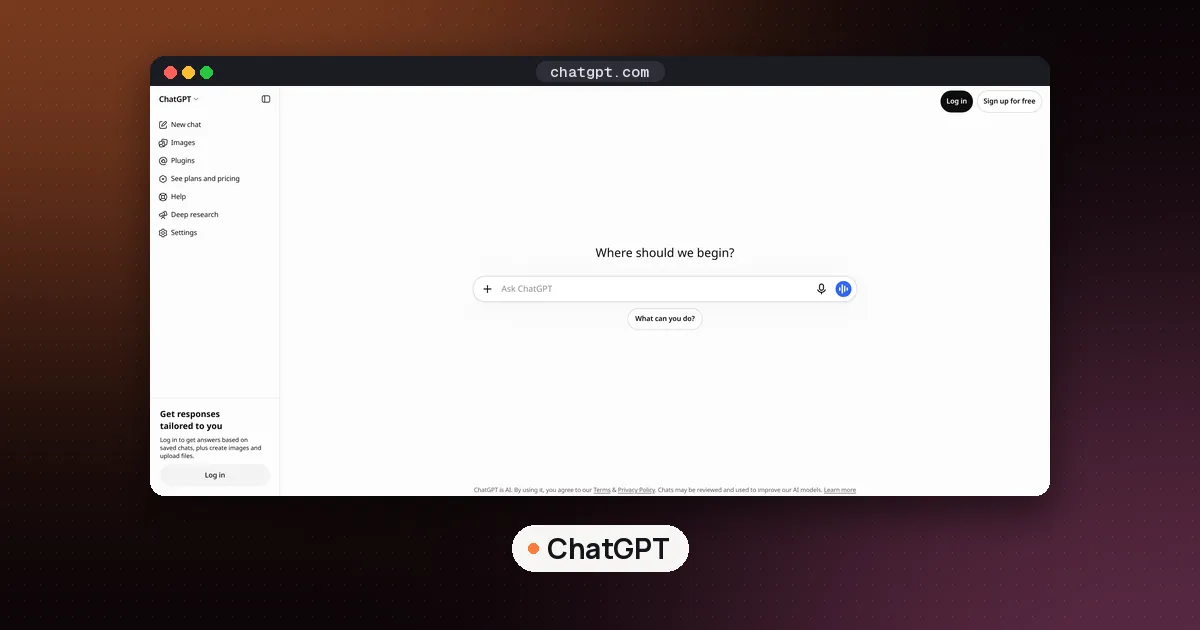
- General chat assistants such as ChatGPT. Wide knowledge, writing and research, plus memory, connected apps and scheduled tasks.
- Delegation assistants such as Lindy. Built around your inbox, calendar and meetings, and reachable by iMessage or SMS.
- Desktop assistants such as Raycast. They live in a launcher on your Mac or PC and act on selected text, open pages and your installed extensions.
- Companion assistants such as Pi. Conversation first: venting, decisions, learning, and light reminders and to do items.
If you only want a recommendation by device, our best AI personal assistant for iPhone guide ranks the phone options. This page is about getting results from whichever one you pick.
How to use an AI virtual assistant: the five steps
Step 1: Pick one repeatable job
Write down the tasks you do at least weekly that follow a pattern. Good first jobs are a daily briefing of your calendar and important email, drafted replies to routine messages, prep notes before meetings, a weekly plan every Monday, and reminders to follow up with someone. Bad first jobs are vague ones like "manage my life," because you can't tell whether the assistant did them well.
OpenAI's own safety advice for agent work makes the same point: avoid open ended prompts like "Check my email and handle everything," according to its ChatGPT agent help page.
Step 2: Give it context once
An assistant that knows your name, role, time zone, tone and priorities needs far less prompting. In ChatGPT, open Settings, then Personalization, then Memory to see what it can remember. OpenAI's Memory help page says memory can draw on past chats, saved memories, custom instructions, files in Library and, depending on plan and region, connected apps such as Gmail. You can also ask ChatGPT what it remembers about you and correct anything wrong.
Custom instructions are the direct version: a short paragraph about who you are and how you want answers. Memory builds up over time. Use both, and keep sensitive details (account numbers, health information) out of either.
Step 3: Connect only the apps the job needs
An assistant can only check your calendar if it can see it. In ChatGPT, connections live under Settings, then Apps. In Lindy, you connect a Gmail or Outlook account, and the Lindy email drafting docs note you can add several inboxes across both providers, with settings kept per inbox.
Connect the minimum. OpenAI's guidance is to enable only the apps needed for the current task and to review app permissions regularly. Every connection is more data the assistant can read and, in some cases, act on.
Step 4: Turn the job into a recurring task
This is where an AI virtual assistant starts to save real time.
In ChatGPT, ask for the task in plain words, such as "Every weekday at 7 AM, summarize my calendar and flag anything that conflicts." OpenAI's scheduled tasks help page says ChatGPT can run one time or recurring tasks, monitor for changes, and respond to supported events. Tasks are managed on the Scheduled page, where you can edit, pause or delete them. Active task limits depend on the plan: 3 for Free and Go, 5 for Plus, 10 for Business and Edu, and 15 for Pro and Enterprise. Free users get at most one run per day in a flexible window (morning, afternoon or night); hourly schedules and exact times need a paid plan.
ChatGPT can also run event triggered tasks in Work that respond to a new Gmail message, a new Slack channel message or GitHub pull request activity. Those need Plus, Pro, Business, Enterprise or Edu, and they are not available on Free or Go.
In Lindy, you text the request. The Lindy iMessage and SMS docs give examples like "Send me a briefing every morning at 7am," "Remind me to follow up with [name] on Friday" and standing instructions such as sending meeting notes to Slack after every meeting. You add your phone number at signup and verify it with a code; iMessage works on iPhone and SMS on any phone.
In Raycast, open Settings, then AI, then Automations, and create one with a name, model, prompt and schedule (Once, Hourly or Daily). The Raycast Automations manual explains that runs happen on your own device, so your computer must be awake with Raycast open. If Raycast wasn't running at the scheduled time, the automation runs once at the next launch. Each device holds up to 20 automations, and they don't sync between devices.
Step 5: Keep approval on and review results
Let the assistant draft; you send. Lindy's drafting routine puts replies in your drafts folder, and its docs say nothing goes out without your approval. ChatGPT pauses a task when an action that sends a message or changes external data needs approval. Raycast pauses a run when a tool needs your approval or the model asks a question.
Check the first week of output closely. When a draft is off, say so in plain words. Lindy's docs suggest feedback like "That draft was too formal" or "Always CC Becky on those," and say it learns from edits you make before sending.
What can AI assistants do? Real examples by tool
Here is what each assistant handles well, based on its documentation.
ChatGPT
ChatGPT now has two modes. OpenAI's Chat and Work help page describes Chat as fast conversational help and Work as an agent for longer, multistep work and finished deliverables: research, analysis, documents, spreadsheets, presentations, reports and Sites. The older agent mode has been retired, and OpenAI's help center now points longer tasks to Work. Work is available on web and mobile for eligible paid plans.
Useful assistant prompts in ChatGPT:
- "Every Monday at 8 AM, draft a plan for my week from my calendar and list three priorities."
- "Let me know when my package is delivered." (OpenAI's own example of a monitoring task.)
- "Using my last five emails from Sam, draft a reply that confirms Thursday."
For business templates, see our ChatGPT prompts for small business collection.
Lindy
Lindy is the closest thing to a human executive assistant on this list. Its docs list scheduling a meeting with someone by name and day, briefing you before your next meeting, telling attendees you're running late, searching your inbox, text alerts for email from a chosen sender, auditing how you spent your week, and acting on a voice note you send. Email Triage sorts incoming mail, and a separate routine drafts a follow up bump when a sent email gets no reply.
Raycast
Raycast suits people who live at a keyboard. Its AI Commands turn a prompt you reuse into a one key command: select text, run the command, and get the result in a window or pasted over your selection. Built in commands include Improve Writing, Fix Spelling and Grammar, Change Tone to Professional and Summarize Webpage. Quick Fix corrects spelling and grammar in any app with a hotkey (a double press of the right Shift key by default). Raycast also offers AI Chat, dictation, screen awareness, projects, MCP servers and local models, per its AI manual. If you are choosing a launcher, our Raycast vs Alfred comparison covers the rest.
Pi
Pi, from Inflection AI, is the conversational one. Its official site pitches it for venting, thinking out loud, preparing for a hard conversation, decisions and learning, plus reminders and to do items, and voice so you can skip typing. It does not connect to your inbox like Lindy, so use it for thinking and light personal reminders rather than delegation.
Which assistant should you start with?
- You want writing, research and a morning briefing: start with ChatGPT and one scheduled task.
- Your pain is email and calendar load: Lindy, with drafting on and approval kept for every send. For more inbox options, see our best AI email assistant guide.
- You work all day on a Mac or PC: Raycast, starting with Quick Fix and one custom AI Command.
- You want someone to talk things through with: Pi.
- Your calendar is the bottleneck: an auto scheduler may serve you better than a chat assistant. Our best AI calendar planner guide compares those.
Prices change often, so check each vendor's pricing page before you subscribe. Many people end up with two: a general assistant and one specialist.
Safety habits for AI assistants
Connected assistants can read sensitive data and, with permission, act on it. OpenAI warns about prompt injection, where text on a web page or in an email tries to trick an agent into doing something you didn't ask for. Its suggested habits apply to every tool here:
- Don't type passwords or private details into a chat.
- Enable only the apps the current task needs.
- Avoid "handle everything" prompts.
- Stop a task right away if something looks wrong.
- Review connected app permissions on a schedule.
Also be careful when sharing tasks. ChatGPT's shared task links include the full task instructions, so OpenAI advises against putting health information, financial details or passwords in a task title or instructions.
FAQ
What is an AI virtual assistant?
It's software that takes plain language requests and answers, drafts or acts for you, often with access to your email, calendar and files. ChatGPT, Lindy, Raycast and Pi are examples, each built for a different style of work.
Can I use an AI virtual assistant for free?
Yes, with limits. ChatGPT's Free plan allows 3 active scheduled tasks, each running at most once a day in a flexible window. Event triggered tasks and exact delivery times in ChatGPT need a paid plan.
Can an AI assistant send emails for me?
Some can, but you should keep approval on. Lindy drafts replies into your drafts folder for you to review and send, and ChatGPT pauses a task when an action that sends a message needs approval.
Do AI assistants remember what I tell them?
Many do. ChatGPT's Memory can use past chats, saved memories and custom instructions, and you can review, correct or delete what it remembers under Settings, Personalization, Memory. Lindy says it learns your style from feedback and edits.
Why didn't my Raycast automation run on time?
Raycast runs automations on your own computer, so it has to be awake with Raycast open. A missed run happens once at the next launch. Turning on Prevent Sleep During AI Runs in Settings, AI, Chat keeps the machine awake during a run.
What can AI assistants do that a calendar app can't?
They can read context across tools: brief you on a meeting using related email, draft the reply, and remind you to follow up. A calendar app only shows the events.