In the Heptabase vs Notion decision, pick Heptabase if you learn and research alone: it lays notes out on whiteboards, reads your PDFs and videos, and its AI answers with citations back to your sources. Pick Notion if your notes are really shared work, such as project docs, wikis, task databases and team planning, or if you want a free plan. Many people end up using both, with Heptabase for thinking and Notion for running projects.
That short answer hides some real tradeoffs around price, AI limits, offline use and how easily you can leave. This guide walks through each one, with plans and features checked on each vendor's official pages on October 16, 2026.
Heptabase vs Notion at a glance
| Item | Heptabase | Notion |
|---|---|---|
| Core idea | Cards on visual whiteboards for learning and research | Pages and databases for docs, wikis and projects |
| Free plan | No; a 7 day trial | Yes, Free plan for individuals |
| Paid entry plan | Pro, $8.99 a month billed yearly | Plus, listed at $10 per member a month |
| AI included | Pro: AI agent with Gemini models, 100 AI credits a month | Free and Plus: limited trial; full Notion AI on Business ($20 per member a month), with 1,500 Standard and 500 Select credits a month per seat |
| Reading sources | PDF annotation and parsing, YouTube transcripts, Zotero integration | Files and embeds inside pages |
| Offline | Offline access to all notes and files | Pages you mark "Available offline" on desktop and mobile |
| Teamwork | Real time collaboration, free collaborator invites | Built for teams: permissions, teamspaces, sharing |
| Export | All notes as Markdown, plus a full JSON backup | PDF, HTML, Markdown and CSV, or the whole workspace |
The core difference: whiteboards versus databases
The two apps start from opposite ideas about what a note is.
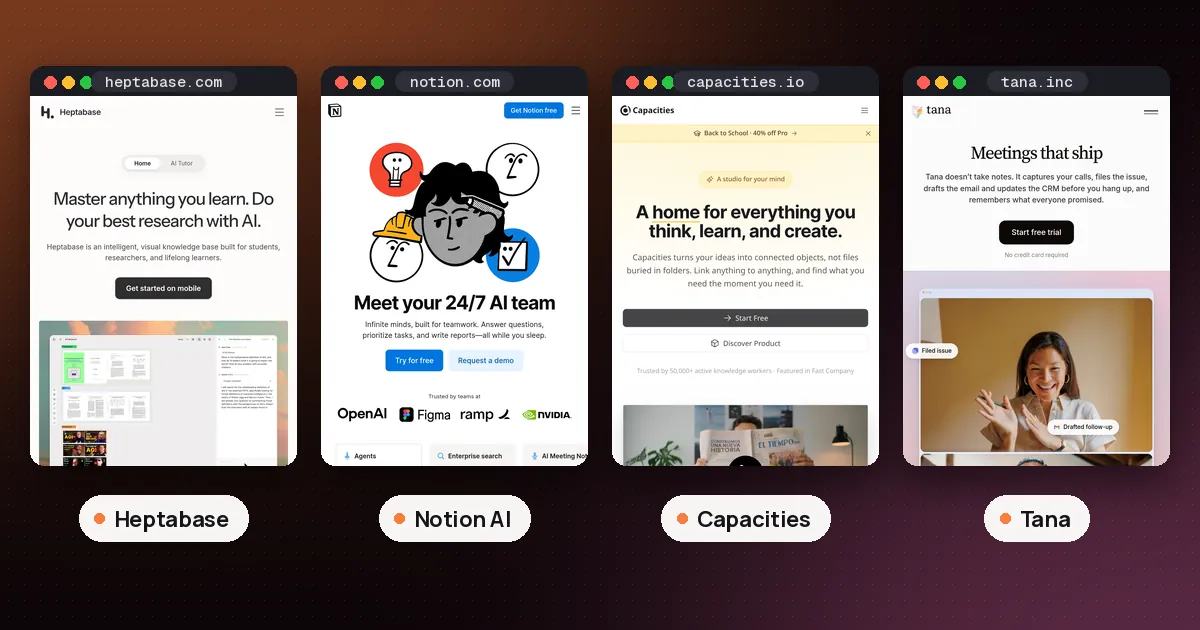
Heptabase treats every note as a card that can live on one or more whiteboards. You drag cards around, group them into sections, connect them with arrows and build mind maps. Its homepage also lists a block based editor, two way links, daily journals, PDF annotation, a web clipper and a Zotero integration. The company describes the product as a visual knowledge base for students, researchers and lifelong learners, and that focus shows everywhere.
Notion treats every note as a page, and pages can hold databases. That makes it excellent for structured, repeatable work: a task tracker with due dates, a reading list with properties, a team wiki, a content calendar or a client portal. Notion's pricing page lists forms, sites, charts, Notion Calendar and databases with subtasks and dependencies. It's built around pages and databases rather than a freeform canvas.
So ask yourself what you do with notes most of the time. If you mostly think with them, connecting ideas from readings and lectures, Heptabase fits. If you mostly run things with them, tracking, assigning and publishing, Notion fits.
AI features compared
Both apps now put an AI agent inside your notes, but they price and position it very differently.
Heptabase AI: a research partner with citations
Heptabase's December 2025 update, described on its public wiki, added a "Research a topic" button. You upload PDFs, YouTube links, documents and images, Heptabase places them on a new whiteboard, parses the PDFs and imports the video transcripts. You then ask questions and get answers with citations back to specific cards, pages or timestamps, and you can save a useful answer as a new card in one click. Chat can also use your entire space as context, or only the items you add by hand if you switch that toggle off.
Heptabase says it self hosts its data parsing and embedding services, so no AI provider sees your data unless you choose to chat with them.
According to the Heptabase plans and pricing help page, AI credits cover the AI agent, AI Tutor, video transcripts, the Insight generator and voice notes. PDF parsing does not use credits. Unused credits don't roll over. When you run out, you can upgrade, turn on pay as you go on demand usage with a monthly spending limit, or connect your own OpenAI or Anthropic API key for the agent (that option doesn't apply to AI Tutor).
Notion AI: an agent for your whole workspace
Notion's AI FAQ says Notion AI is available on the Business and Enterprise plans, while Free and Plus users get a limited number of complimentary AI responses to try it. Every AI action counts as a response, and so does each "Try again." Once the free responses are used up, you need Business or Enterprise to keep going. For how the credits work and when they reset, see Notion AI credits explained.
On Business, Notion Agent can take on whole tasks using context from your workspace and connected apps, creating and editing pages and databases for you. The Notion pricing page also lists AI Meeting Notes and Enterprise Search (in beta) on Business. Custom Agents, which automate recurring team work, run on Notion credits, listed at $10 per 1,000 monthly credits after a free trial. Notion says it doesn't use your data to train its models unless you opt in.
What's new (October 22, 2026): Since October 19, Notion AI on Business and Enterprise runs on monthly credits included with each seat: 1,500 Standard credits for work where Notion's Auto router picks the model, and 500 Select credits for when you choose the model or run Custom Agents, per Notion's announcement. Existing customers move to the new system on November 2, and admins can buy extra credits. You can also connect a ChatGPT Plus, Pro or Go plan to your personal Notion Agent. Heptabase still counts AI use in its own monthly credits, so compare credit allowances, not just seat prices.
Which AI is better?
They solve different problems. Heptabase's AI is strongest when you're digesting sources: a stack of papers, a textbook, a lecture playlist. Notion's AI is strongest when you want work done inside a shared workspace: drafting docs, filling databases, answering questions across team pages and connected tools. If AI is the main reason you're choosing, the bigger practical difference is cost: Heptabase includes some AI on its cheapest plan, while Notion's full AI starts at Business.
Pricing: is Heptabase free, and what does Notion cost?
Heptabase is not free. It offers a seven day trial that, whatever plan you pick, includes unlimited PDF uploads and parsing and the same AI credit allowance as Premium. The Heptabase pricing page lists, on yearly billing:
- Pro, $8.99 a month: unlimited notes, whiteboards and tags, unlimited collaborator invites, PDF highlights and YouTube transcripts, an AI agent with Gemini models only, and 100 AI credits a month.
- Premium, $17.99 a month: unlimited PDF parsing with OCR, unlimited Q&A with basic AI models, an AI agent with GPT, Claude and Gemini models, AI Tutor, and 1,800 AI credits a month.
- Premium+, $53.99 a month: everything in Premium with 8,100 AI credits a month and a discount on credits.
Monthly billing costs more; the page says yearly saves 25%.
Notion has a real free plan. Its pricing page lists:
- Free, $0: for individuals, with a trial of Notion AI, basic forms and sites, Notion Calendar and databases. A solo Free workspace can add unlimited pages and blocks; Free workspaces with several members hit a block limit.
- Plus, $10 per member a month: custom forms and sites, unlimited file uploads and collaborative blocks, still with only an AI trial.
- Business, $20 per member a month: Notion Agent, AI Meeting Notes, Enterprise Search (beta), SAML SSO and private teamspaces.
- Enterprise: custom pricing.
Check the vendor pages before you buy, since the listed figures can depend on billing period and region.
Students: Notion's pricing FAQ says the Plus plan (for one member) is free for students and educators who sign up with a school email. Heptabase doesn't list a student plan on its pricing page.
Offline use, exports and lock in
Heptabase's homepage promises offline access to all notes and files. Notion's offline guide says every user can view, edit and create pages offline in the desktop and mobile apps, but you mark pages as "Available offline" one device at a time. Databases download their first 50 rows automatically, and embeds, forms and buttons don't work offline. Business and Enterprise also auto download recent and favorite pages.
On leaving, both are reasonable. Heptabase's data portability page explains that Settings, then Backup, then Export now saves all notes as Markdown, alongside an All-Data.json backup. It warns that other apps may not keep whiteboard layouts and relationships, so plan to lose the visual arrangement if you move. Heptabase also says that if the company ever shut down, it would open source the app.
Notion's export help page lets you export a page, database or whole workspace as PDF, HTML, or Markdown and CSV. A whole workspace export arrives by email and can take up to 30 hours for large workspaces, and you can't instantly rebuild a workspace by reuploading it.
Moving from Notion to Heptabase
If you want to try Heptabase with your existing notes, its import help page describes a Notion import, currently in beta:
- In Notion, open the top level page you want to move and choose Export.
- Pick Markdown and CSV, include everything, and tick "Include subpages," then download the zip file.
- In Heptabase, choose Import at the bottom of the left sidebar, pick Notion and upload the zip.
Heptabase says it only imports part of Notion's content, mainly pages, so database structure, links and formatting may not survive exactly. Move a test page first, and keep project databases in Notion.
Who should choose which
- Researchers and grad students reading many papers: Heptabase. PDF parsing, Zotero, citations and whiteboards are its core.
- Undergraduates on a budget: Notion's free student Plus plan for organizing classes, paired with a free study tool like Gemini Notebook. See our guide to studying with NotebookLM and the best AI note taker for college students.
- Teams and small businesses: Notion. Permissions, shared databases and AI on Business are what teams need.
- Visual thinkers and writers planning big projects: Heptabase, where a whiteboard shows how every idea connects.
- People who want both: use Heptabase to think and Notion to track. Export a finished Heptabase card as Markdown and paste or import it into a Notion page.
If neither fits, Capacities has a free plan for structured personal notes, and Tana suits notes that start in meetings. Our roundup of the best AI note taking apps compares them side by side, and the best AI tools for students covers study apps more broadly.
FAQ
Is Heptabase better than Notion?
For personal learning and research, often yes: whiteboards, PDF parsing and cited AI answers make it a stronger thinking tool. For team projects, databases and wikis, Notion is better. It depends on whether your notes are for understanding or for coordinating work.
Is Heptabase free?
No. Heptabase has no free plan on its pricing page. It offers a seven day trial, and Pro is listed at $8.99 a month on yearly billing.
Does Notion AI come with the free plan?
Only as a trial. Free and Plus workspaces get a limited number of complimentary AI responses. Full Notion AI, including Notion Agent and AI Meeting Notes, is part of the Business and Enterprise plans.
Can I import my Notion pages into Heptabase?
Yes, with limits. Export from Notion as Markdown and CSV with subpages included, then use Heptabase's Notion import, which is in beta and mainly brings over pages. Databases may not transfer cleanly.
Can Heptabase work offline?
Heptabase says you can access all notes and files without an internet connection. Notion also works offline, but only for pages you've marked as available offline on each device.
Can I collaborate with others in Heptabase?
Yes. Heptabase lists real time collaboration, and its Pro plan includes unlimited collaborator invites. It's still designed around personal knowledge, so Notion is the better fit for running a team workspace.